Case study · Live
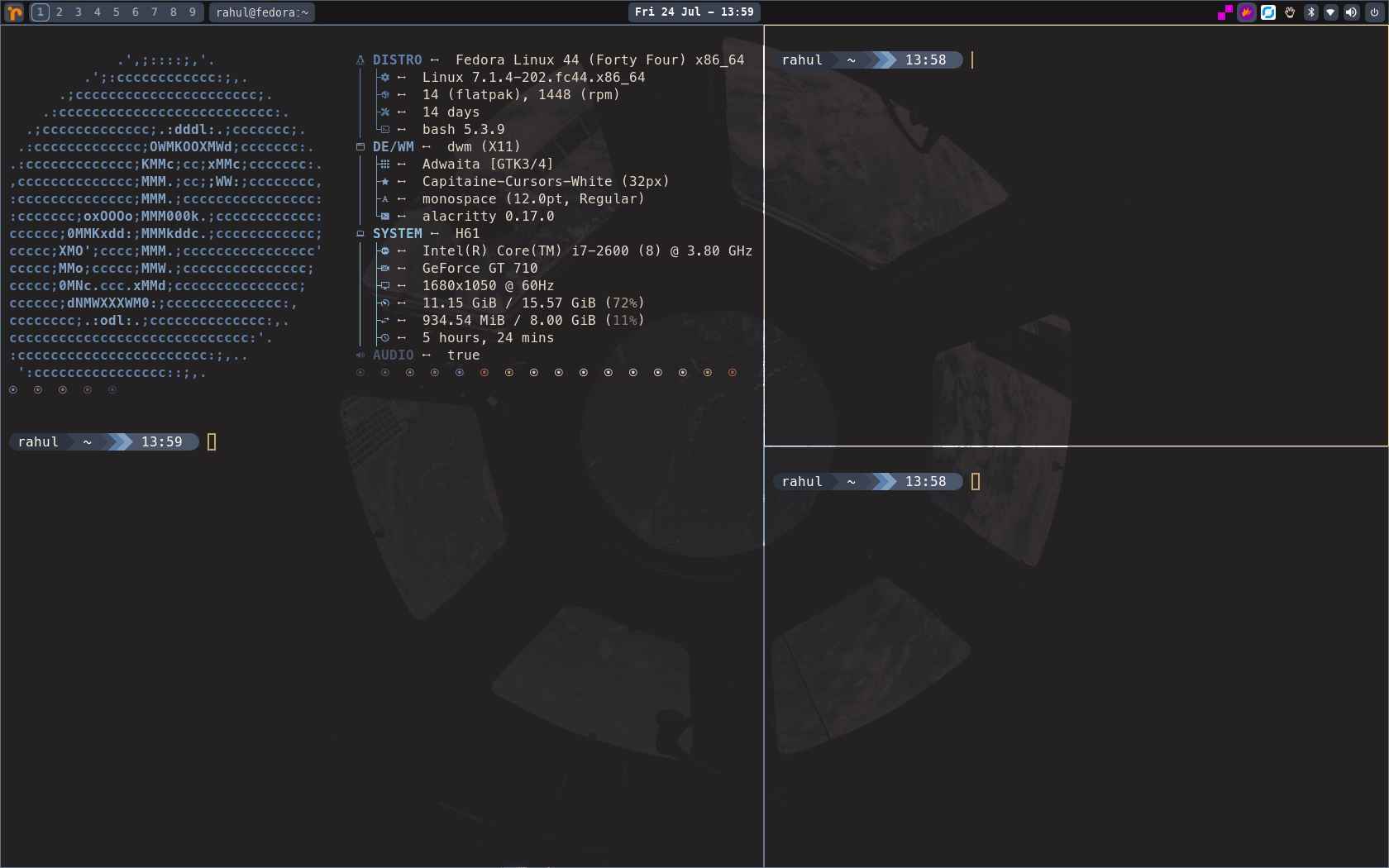
dwm-jangir - Personal Desktop Environment
A highly reliable, custom-maintained X11 desktop environment based on dwm-titus, featuring robust session management, dynamic Quickshell theming, and an automated installer.
- Role
- Platform Engineer
- Status
- Live
- Timeline
- Jan 2024 — Present
- C
- Shell Scripting
- QML (Quickshell)
- X11
- Make
- Linux Desktop
At a glance
What changed
- Engineered robust X11 session management and startup sequencing for reliable daily use.
- Developed dynamic theming integrations across Quickshell, Ghostty, Kitty, and Alacritty.
- Maintained a clean upstream delta workflow to continuously sync with upstream updates without breaking custom changes.
dwm-jangir is my personal, meticulously maintained X11 desktop environment. Forked from the popular dwm-titus project, this build is tailored specifically for my workflow, emphasizing rock-solid session reliability, automated system provisioning, and deep aesthetic customization.
Rather than just changing a few C headers, I maintain a strict "upstream delta" workflow, allowing me to continuously pull in upstream improvements while preserving my own extensive system modifications.
Key Engineering Enhancements
1. Robust Session Reliability
The default X11 startup sequence can be fragile. I heavily rewrote the autostart.sh and session management logic to ensure complete reliability on every login:
- Engineered an automated cleanup of stale Quickshell and Handy processes on relogin.
- Implemented strict startup ordering: the
StatusNotifierwatcher must initialize before launching tray-dependent apps likecaffeine-ng. - Ensured background services like
RustDeskdetach properly without blocking the window manager initialization.
2. Dynamic Theming & "Rajasthani" Theme
I built a dynamic theme application system (theme-apply.sh) that synchronizes colors across the entire desktop environment.
- Integrated custom themes for modern terminals like Ghostty, Kitty, and Alacritty.
- Designed and implemented a custom Rajasthani theme, ensuring the Quickshell UI (
Theme.qml) perfectly matches terminal color schemes on the fly. - Customized the Quickshell panel branding to carry the rahuljangir.work visual identity through the
rahuljangirwork.svglogo.
3. Quickshell Panel Optimization (QML)
To handle dynamic tray icons gracefully, I modified the QML configurations (TrayArea.qml) to reserve a deterministic panel width for all StatusNotifier items. This prevents the panel from jittering or resizing unexpectedly when background apps launch or close.
4. Automated Installation & VM Testing
I maintain a highly modified install.sh and a dedicated dwm-test-vm.sh script to automate the entire setup process.
- The installer natively pulls custom wallpapers from my personal background repository.
- System health checks (
dwm-system-health) were fine-tuned to reduce noise and increase command timeouts for slower hardware. - The setup strictly preserves personal configurations across fresh installations, making disaster recovery instantaneous.
Development Workflow
Maintaining a fork of an active upstream repository requires discipline. I track all my changes in a dedicated UPSTREAM-DELTA.md file and utilize an automated make check validation pipeline. This ensures that when I fetch upstream commits, my session reliability patches, dynamic themes, and custom installation logic remain completely intact.
Knowledge map
Connected notes
Drag nodes to explore. Select one to open it.
Project gallery
2 screens